Small workspace guide
Best Desk Shelves for Small Workspaces
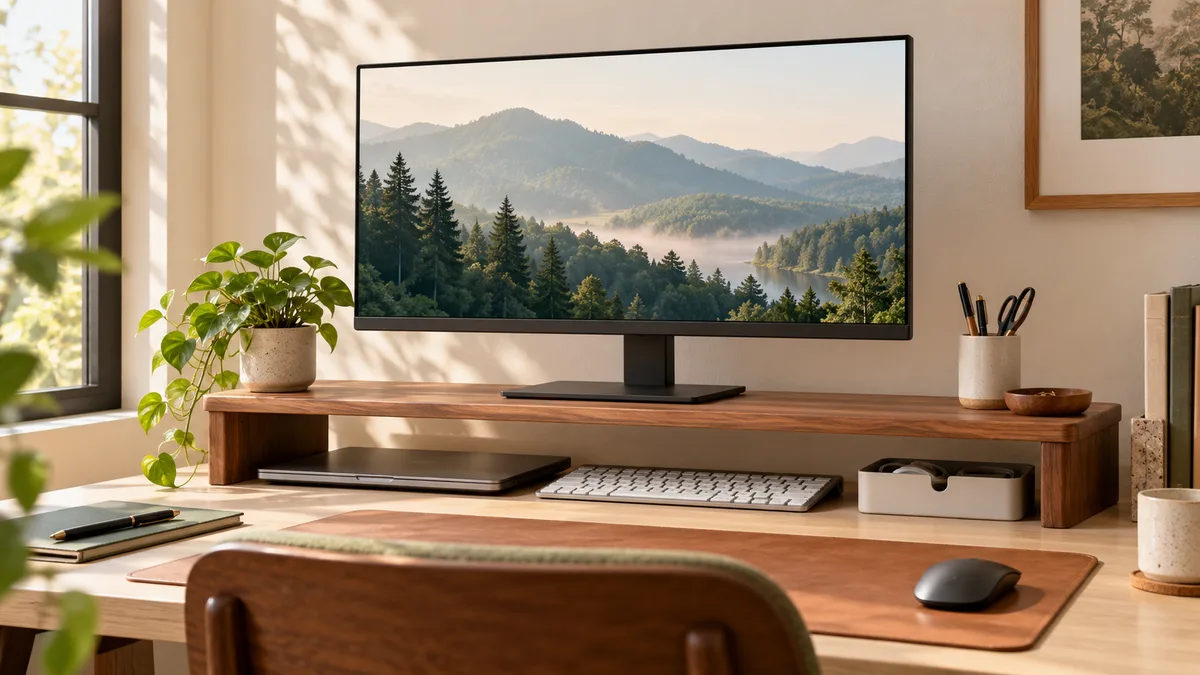
A desk shelf can make a compact workspace feel more organized without adding another piece of furniture. It raises the monitor, creates a place to park a keyboard or laptop, and gives small accessories a defined home. The useful option is not always the widest or most decorative one: it is the shelf that fits your monitor base, leaves enough working depth, and remains steady when you type or adjust the screen.
Shortlist
Desk shelves and monitor risers to compare
The buttons below use affiliate links to Amazon US. Check the current dimensions, load limit, materials, assembly requirements, and return terms before ordering.
Wood Monitor Riser with Open Storage
A simple shelf for raising one monitor while keeping a laptop, keyboard, or notebook within reach.
Check on AmazonCompact Monitor Stand
A narrower riser for small monitors and desks where every inch of usable width matters.
Check on AmazonExpandable Desk Shelf
An adjustable shelf category for users who may change monitors or rearrange their workspace later.
Check on AmazonMonitor Riser with Drawers
A storage-focused option for pens, adapters, notes, and small accessories that otherwise stay on the desk.
Check on AmazonCompare desk shelf types
| Type | Best for | Main tradeoff |
|---|---|---|
| Open wood riser | Simple everyday organization | Few dedicated compartments |
| Compact stand | Very narrow desks | Less room underneath |
| Expandable shelf | Flexible layouts | More joints and pieces |
| Riser with drawers | Small accessory storage | Reduced keyboard clearance |
Measure the monitor base first
Measure the full width and depth of the monitor base rather than the screen. The shelf surface should support every contact point with a little margin left over. Also measure the desk from the back edge to your normal keyboard position: a deep shelf can push the keyboard too close to the front edge and make a small desk less comfortable.
What matters most on a small desk?
- Usable width: the shelf needs to fit the monitor base without taking over the entire desk.
- Interior clearance: confirm that your keyboard, laptop, or notebook fits underneath.
- Stability: broad feet and non-slip pads help the screen stay steady during normal desk use.
- Cable space: an open back or cable opening prevents power and display cables from being pinched.
- Comfort: the riser should improve screen height without placing the display uncomfortably high.
How high should a monitor riser be?
There is no single correct height. Start with your chair and normal sitting position. Your eyes should meet roughly the upper portion of the display without forcing you to tilt your head back. A fixed shelf works well when the monitor stand already has some adjustment. If the monitor has no height adjustment, compare the shelf height carefully or choose a riser with adjustable legs.
Open storage or drawers?
Open storage is usually the most flexible choice. It can hold a keyboard during non-computer work, make room for a closed laptop, and keep frequently used items visible. Drawers reduce visual clutter, but their frames consume some of the clearance under the shelf. Choose drawers only when you have small accessories that genuinely need a permanent home.
Common buying mistakes
The most common mistake is choosing by appearance before checking dimensions. A beautiful shelf can still be too deep for the desk or too narrow for the monitor base. Another mistake is treating the listed outer width as usable storage space; side panels and drawer frames can make the opening several inches smaller. Finally, check whether the shelf arrives assembled and whether the stated load applies to the entire surface or only its center.
When a monitor arm is the better choice
A shelf adds storage, but it does not free the entire area beneath the display. A monitor arm can reclaim more desk depth and offers better height adjustment, provided the desk edge and desktop material can support its clamp. Choose a shelf when you value simple setup and storage; consider an arm when maximum surface space and screen positioning matter more.
Desk shelf FAQ
- Can a desk shelf hold two monitors?
- Only when its usable width, construction, and stated load limit suit both monitor bases. A dual-monitor arm may use the desk more efficiently.
- Is wood or metal better?
- Both can work well. Wood often matches home-office furniture, while metal can provide a thinner structure and ventilation. Stability and dimensions matter more than the material alone.
- Can I store a laptop under the shelf?
- Yes, if the opening is wider and taller than the laptop and cables can exit without being sharply bent.